Smart Home Glossary
What Is Property Management Automation?
Property management automation uses software rules and connected building systems to handle repetitive operational tasks automatically, so staff can spend more time on residents and less on routine chores.
Property Management Automation Definition
Property management automation is the practice of letting technology perform recurring property tasks without manual action each time. It can happen in software, such as automated reminders, and in the building itself, such as doors that lock on schedule or lighting that responds to occupancy.
How Does Property Management Automation Work?
Automation starts by identifying tasks that follow a predictable pattern, such as unlocking an amenity room every morning or notifying maintenance when a leak sensor trips.
Those patterns become rules in the relevant system. A software platform may send reminders, while access, lighting and climate systems run schedules and respond to sensors.
Where systems support integration, an event in one can trigger an action in another, creating automated workflows that span software and building hardware.
Tasks Commonly Automated in Property Management
Amenity Access Schedules
Fitness rooms, clubrooms and pools can open and close automatically at set hours.
Common-Area Lighting
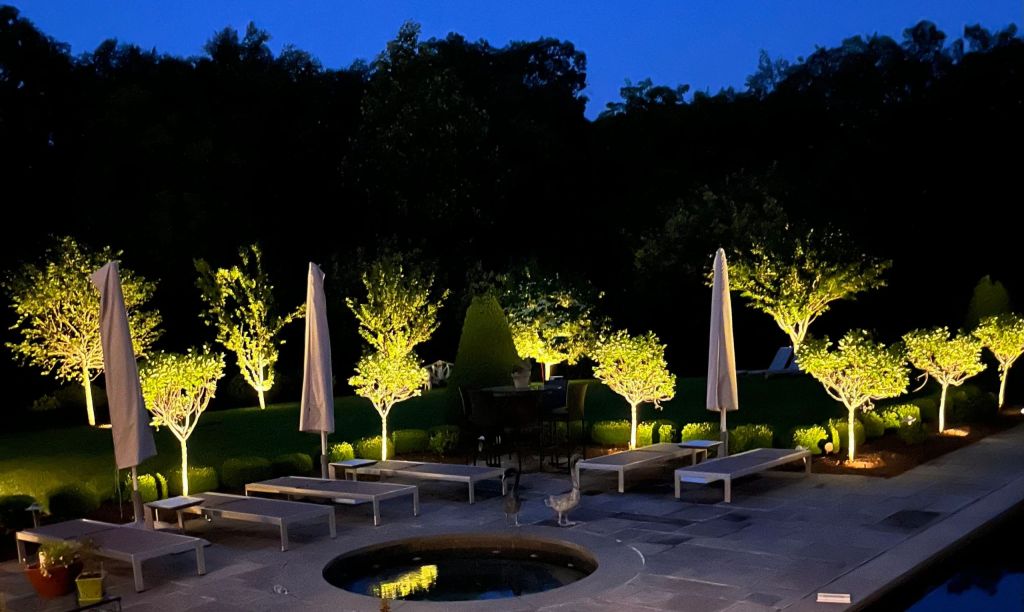
Lighting control systems can follow schedules, daylight and occupancy.
Vendor Access Windows
Time-limited credentials can let vendors in only during scheduled visits.
Leak and Event Alerts
Sensor events can be routed automatically to the right staff member.
Vacant Unit Climate
Thermostats in vacant units can hold conservative settings until move-in prep.
Lobby Scenes
Lighting, music and displays in lobbies can change automatically through the day.
Ready to Automate Routine Building Operations?
Al’s Smart Housing can configure access schedules, lighting automation, climate control and AV scenes that take routine tasks off your team’s plate.
Benefits of Property Management Automation
Time Savings
Routine tasks run on their own instead of requiring daily attention.
Consistency
Doors, lights and settings behave the same way every day.
After-Hours Coverage
Schedules and alerts keep working when the office is closed.
Controlled Vendor Access
Time-limited credentials reduce key handoffs.
Fewer Missed Issues
Automated alerts help ensure important events are noticed.
Polished Common Areas
Automated scenes keep lobbies and amenities looking their best.
Software Automation vs. Building Automation
| Factor | Software Automation | Building Automation |
|---|---|---|
| Examples | Reminders, notices, workflow steps | Door schedules, lighting, climate, scenes |
| Runs In | Management or communication platforms | Access, lighting, climate and AV systems |
| Triggered By | Dates, status changes, form submissions | Time, occupancy, sensors, door events |
| Set Up By | Property staff and software vendors | Installers and integrators |
Automation for Amenity Spaces
Amenity spaces are some of the easiest places to automate. Their hours are predictable, and access, lighting, climate and media can all follow those hours.
When a fitness room opens, its door can unlock, lights can turn on and music can start. At closing, the space can return to a secure, energy-conscious state.
Staff can adjust schedules seasonally or for holidays without touching the equipment.
Automation for Maintenance and Turnover
Maintenance teams benefit from automation that routes alerts to the right person and keeps vacant units in a ready state.
Temporary credentials for contractors and cleaning crews can be issued for the exact dates and times of scheduled work.
When a unit is ready, staff can switch settings for a new resident with a few changes in the relevant systems.
Why Automations Need Regular Review
Automations are only as good as the rules behind them. Building hours change, amenities are added and staff responsibilities shift, so automations can drift out of date.
Reviewing schedules and alert routing periodically helps make sure automations still match how the property actually runs.
Keeping a simple record of what is automated, and why, makes reviews faster and helps new staff understand the system.
Partial Automation vs. Integrated Automation
Partial Automation
Each system runs its own schedules. This is straightforward to manage and a practical starting point for most properties.
Integrated Automation
Compatible systems coordinate with each other, so one event can trigger several actions. This adds convenience but needs careful planning and testing.
Put Routine Tasks on Autopilot
Explore access control, lighting automation, climate control and AV solutions from Al’s Smart Housing.
FAQs
Property Management Automation FAQs
What is property management automation?
It is the use of software rules and connected building systems to handle routine property tasks automatically.
What can be automated in a property?
Amenity access, common-area lighting, vendor access windows, alerts, vacant unit settings and lobby scenes are common examples.
Is automation only in property software?
No. Much automation happens in building systems like access control, lighting and climate.
Can vendors get temporary access automatically?
Many access control systems support time-limited credentials for scheduled visits.
Does automation work after office hours?
Yes. Schedules and alerts continue running when staff are off-site.
How often should automations be reviewed?
Periodically, and whenever building hours, amenities or staffing change.
What if an automation fails?
Good designs include manual overrides and safe defaults so spaces remain usable.
Who sets up building automation for properties in Connecticut?
Al’s Smart Housing installs and configures access control, lighting automation, climate control and AV systems for properties in Connecticut.
Automate Your Property Operations
Speak with Al’s Smart Housing about professionally configured access, lighting, climate and AV automation for your property.

